In short
Vietnam absorbs roughly 80 ransomware attacks on businesses every day. This article explains the 3-2-1-1 rule, what Nghị định 85/2016 actually requires on contingency and disaster recovery, and how NAKIVO Backup & Replication fits — genuine licences, e-VAT invoices, deployment in Vietnam.
Quick answer
A copy of your data that lives inside the same system as the original is not a backup. Modern ransomware hunts down and encrypts the backup repository before it touches the production servers, so what decides whether a company survives is not "do we have backups" but "is there a copy the attacker CANNOT alter or delete". That is why the current practice standard is 3-2-1-1: 3 copies of the data, 2 different storage media, 1 copy off site, and 1 copy that is immutable or physically air-gapped.
The Vietnamese context is not gentle. Citing Kaspersky data, VietnamPlus (VNA) reported on 21/04/2025 that 2024 saw 29,282 ransomware attacks aimed at Vietnamese businesses — an average of about 80 a day. For the first half of 2025, VnEconomy, citing VNPT Cyber Immunity and Trellix, reported ransomware losses of more than USD 10 million in Vietnam with more than 3 TB of data encrypted, up 15% year on year.
On the legal side, an information system security plan under Nghị định 85/2016/NĐ-CP, Điều 19 khoản 2 must include the item "dự phòng, ứng cứu sự cố, khôi phục sau thảm họa" (contingency, incident response, disaster recovery). In other words, disaster recovery is not an optional technical nicety — it is a required component of the compliance file.
NAKIVO Backup & Replication suits Vietnamese SMEs for a specific reason: one product covers backup, replication, ransomware protection and recovery across virtual machines, physical machines, Microsoft 365 and NAS; it installs on the NAS you already own; and it asks for very little hardware. Dzo.software advises and deploys it in Vietnam — genuine licences, electronic VAT invoices (hoá đơn đỏ), payment in VND, training in Vietnamese.
The numbers worth remembering
The five data points below are the backbone of this article, and each one is sourced so you can check it yourself.
- ~80 ransomware attacks a day against Vietnamese businesses in 2024 (29,282 for the full year) — Kaspersky data via VietnamPlus, 21/04/2025.
- 14.59% of the 5,000 agencies and businesses surveyed by the National Cyber Security Association in 2024 said they had been hit by ransomware (same source).
- More than USD 10 million in ransomware losses in Vietnam in the first six months of 2025, with more than 3 TB of data encrypted — VnEconomy, 03/09/2025.
- USD 1.85 million is the average cost of a ransomware incident in Vietnam according to Trellix (below the global average of USD 2 million) — same VnEconomy source.
- "Dự phòng, ứng cứu sự cố, khôi phục sau thảm họa" (contingency, incident response, disaster recovery) is a mandatory item in the information system security plan under Nghị định 85/2016/NĐ-CP Điều 19.
1. Why the old way of backing up no longer saves a business
Plenty of Vietnamese SMEs still back up like this: copy the data to an external drive or a shared folder on the server itself, schedule it to run every night, and consider the job done. That approach handles a failed disk, but it is close to useless against targeted ransomware — the attack pattern now common in Vietnam.
The reason is that attackers no longer encrypt the moment they get in. They sit quietly, hunt for administrator accounts, locate the backup repository, delete or encrypt the backups first, and only then encrypt the production systems. By the time the company notices, both the original data and the copies are gone — which is exactly the scenario that pushes organizations to consider paying the ransom.
The second blind spot is never having tested a restore. A backup job that has reported green every night for two years can still fail to come back when you need it, because a configuration file is missing, the application version does not match, or the data quietly corrupted. A backup only has value at the moment you restore successfully, not at the moment the job finishes.
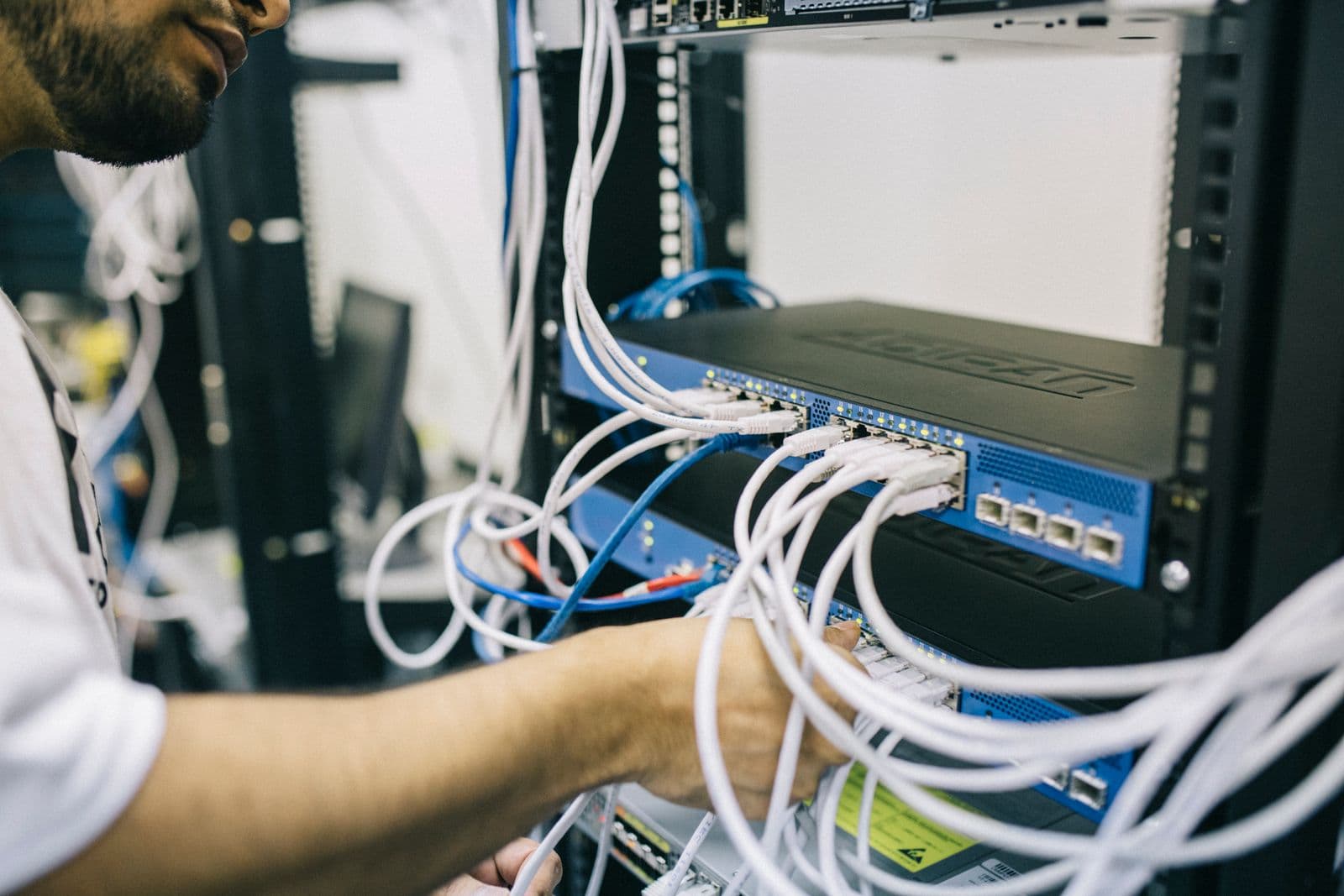
- The backup sits in the same administrative domain as the source data — take over the admin account and you take over both.
- Only one copy exists — if that copy is damaged or encrypted, there is nothing to fall back on.
- No off-site copy — a fire, a flood or a long power outage at one location wipes out everything.
- No immutable or air-gapped copy — there is no copy the attacker is unable to modify.
- No restore drills — nobody knows how long it takes to get back to work until the day it happens for real.
2. The 3-2-1-1 rule and how to actually implement it
The classic 3-2-1 rule has picked up one more "1" to deal with ransomware. Read it as: 3 copies of the data (1 production + 2 backups), 2 different types of storage media, 1 copy off site, and 1 copy that is immutable or air-gapped.
That final 1 is the real backstop. Immutability means that for a defined retention window the backup cannot be modified, deleted or encrypted — not by an administrator account, and not by the backup software itself. Air-gap means physical separation: the data sits on tape or on removable disks, with no network path reaching it.
Table 1 maps each element of the rule to a concrete configuration — you can use it as a checklist against your current infrastructure, whatever software you run today.
| Element | What it means | How to implement it | Which risk it covers |
|---|---|---|---|
| 3 copies of data | 1 live production copy + 2 independent backup copies | An on-site backup for fast restores + 1 copy replicated to a different target | Disk failure, accidental deletion, application errors |
| 2 storage media types | Do not keep everything on the same class of device | For example: disk on a NAS + cloud object storage, or disk + tape | Batch failures across a device model, firmware bugs |
| 1 off-site copy | At least one copy outside the physical location | Replicate to the cloud or to a branch/second office | Fire, flooding, extended outages, building-wide incidents |
| 1 immutable / air-gapped copy | A copy nobody can modify or delete during the retention window | Immutable (WORM) repository on Linux/cloud/S3, or removable tape stored offline | Ransomware, compromised admin accounts, insider sabotage |
3. Legal obligations in Vietnam: getting the wording right
This is the part that sales material tends to overstate, so it is worth drawing a clear line. Vietnamese law contains no provision requiring every business to back up its data on a specific cycle. Anyone claiming otherwise is selling through fear.
What is real is this: Nghị định 85/2016/NĐ-CP on information system security by classification level, Điều 19 khoản 2 requires the information system security plan to cover seven groups of content, one of which (point e) is "Dự phòng, ứng cứu sự cố, khôi phục sau thảm họa" — contingency, incident response and disaster recovery. If your information system falls within the classification scheme, that content is mandatory in the file.
In parallel, the Personal Data Protection Law No. 91/2025/QH15 took effect on 01/01/2026, replacing Nghị định 13/2023/NĐ-CP. If a document you are reading still cites Nghị định 13/2023 as the law in force, that document is out of date. Law 91/2025 places personal data protection obligations on the data processing party; losing customer data to ransomware is an incident that falls inside that responsibility — even though the law itself prescribes no backup technique.
The practical conclusion: do not build a story around "the law requires backups". Say the accurate thing instead — disaster recovery is a mandatory component of the tiered information security plan, and losing customers' personal data carries its own separate legal exposure.
4. What NAKIVO Backup & Replication protects
NAKIVO is a backup software vendor founded in 2012. On its official company page, the vendor states it has more than 16,000 paid customers in 183 countries and more than 3,000 channel partners. The product was also named as one of the Honorable Mentions in the 2024 Gartner Magic Quadrant for Enterprise Backup and Recovery Software Solutions — read that correctly: it is an Honorable Mention, not a placement inside the Magic Quadrant.
A note on transparency: the customer, country and partner counts, the recognition claims, and statements such as "2x faster" or "50% lower cost of ownership" are all figures NAKIVO publishes about itself on its own website, not independently verified results. Treat them as vendor-supplied information.
The real value for an SME lies elsewhere: instead of buying three or four separate products for virtual machines, physical machines, Microsoft 365 and NAS, you manage all of it in a single web interface. Table 2 lists the protection scope as published on nakivo.com.
| Group | Supported platforms | Why it matters for Vietnamese businesses |
|---|---|---|
| Virtual machines | VMware vSphere, Microsoft Hyper-V, Nutanix AHV, Proxmox VE | Proxmox is covered — important for teams leaving VMware over rising licence costs |
| Physical servers & workstations | Windows, Linux | Covers file servers and legacy accounting servers that were never virtualised |
| SaaS | Microsoft 365 (Exchange Online, OneDrive, SharePoint, Teams) | Microsoft does not back your data up for you — delete it past retention and it is gone |
| Cloud | Amazon EC2 | Servers running on AWS still need an independent copy |
| Network storage | NAS (SMB/NFS shares) | Departmental file shares are the ones usually left out of the backup plan |
| Applications & databases | Microsoft SQL Server, Exchange, Active Directory, Oracle Database | Restore individual objects instead of rebuilding a whole server |
5. Four anti-ransomware layers to demand from any solution
This section matters more than any feature list. When you evaluate any backup software — not just NAKIVO — ask the vendor the four questions matching the four layers below, and make them demonstrate it live rather than answering from a brochure.
According to NAKIVO's ransomware protection page, the product describes an approach built on: immutable backups using WORM (write-once-read-many), air-gapped copies on tape, data encryption, malware scanning of backups before recovery, plus two-factor authentication (2FA) and role-based access control (RBAC) to tighten access.
The most valuable item in that group is malware scanning of the backup. Without that step, a company can easily restore the very copy that was already infected and be re-infected within hours — a situation that happens far more often than people expect.
| Layer | Purpose | The question you must ask the vendor |
|---|---|---|
| Immutability (WORM) | Copies that cannot be altered or deleted during the retention window | "Show me your highest-privileged admin trying to delete a backup still under immutability — how does the system block it?" |
| Air-gap | A copy with no network path reaching it | "Does the solution support tape or removable disks, and what is the rotation procedure?" |
| Encryption | Stolen data is meaningless without the keys | "Is encryption applied at source, in transit, or at rest — all three?" |
| Malware scanning of backups | Never restore the infected copy again | "Do you scan the copy before recovery, and what engine performs the scan?" |
6. Recovery and disaster scenarios: RPO and RTO
Two metrics drive the entire backup design, and they are also the two numbers management has to settle before IT picks a product.
RPO (Recovery Point Objective) — how much data you accept losing, expressed as time. A nightly backup means an RPO of 24 hours: an incident at 5pm costs you everything created that day. RTO (Recovery Time Objective) — how long you accept being down before operations resume.
For critical systems, scheduled backups are not enough and you need replication — a standby virtual machine kept continuously up to date, ready to be powered on as a replacement. NAKIVO describes its Real-Time Replication for VMware vSphere as creating a copy updated continuously as the source machine changes, with RTO as low as 1 second according to the wording published on the product page.
A technical caution for buyers: ask the vendor to clarify whether that "1 second" figure is RPO or RTO, because the vendor's own material uses the two terms interchangeably between the page title and the body text. This is the kind of detail to lock down in writing in the contract rather than assume.

7. Real-world deployment: light and flexible
The biggest reason SMEs postpone doing backup properly is usually having to buy yet another server. NAKIVO addresses this by installing on a range of platforms, including Windows/Linux machines, directly onto a NAS (QNAP, Synology, ASUSTOR, NETGEAR) to turn storage you already own into a complete backup appliance, or as a pre-configured virtual appliance and an AWS AMI — per the official deployment page.
On resources, NAKIVO's system requirements documentation lists the minimum for the Director and Onboard Transporter components as an x86-64 CPU with 2 cores and 4 GB of RAM (plus 250 MB for each concurrent task) and 10 GB of free space. That is a level almost every business already has spare.
One necessary correction: some older material circulating in the market claims the product can be installed on a Raspberry Pi. The vendor's current system requirements state plainly that "ARMv7 CPU is not supported" — the Raspberry Pi reference survives only in the archived version 10.4 documentation and is out of date. Do not plan around it.
- Install onto an existing NAS → no new server to buy, backups written straight to NAS disks.
- Pre-configured virtual appliance (VA) for VMware/Nutanix environments → up and running in minutes.
- AWS AMI for organizations that already run cloud infrastructure.
- 2 CPU cores + 4 GB RAM is enough to start — scale up as the workload grows.
- One web interface managing virtual machines, physical machines, Microsoft 365 and NAS together.
8. What Dzo.software does on this kind of project
Buying the licence is the easy part. What determines the outcome is designing it correctly and drilling the restore, and that is the part Dzo.software takes on alongside the business here in Vietnam.
We start with a discovery session: how many servers you run, which data is business-critical, and what RPO and RTO management genuinely accepts. Only then does a 3-2-1-1 design that fits the budget emerge, instead of selling one packaged configuration to every customer.
Every contract through Dzo.software comes with genuine licences, electronic VAT invoices (hoá đơn đỏ) and payment in VND — a valid paper trail for your accounting team to book the expense and for the business to prove its software is legitimate during an inspection.
- Discovery and advisory: inventory the systems, identify critical data, agree RPO/RTO with management.
- 3-2-1-1 architecture design: choose where the immutable copy and the off-site copy live, and the retention cycles.
- Deployment and configuration: installation, backup jobs, immutability, encryption, 2FA and access control.
- Restore drills: run the recovery scenario and hand over the results as a signed record — the step most often skipped.
- Vietnamese-language training and operational support: your IT team is self-sufficient after handover.
- E-VAT invoices (hoá đơn đỏ), payment in VND: a valid file for accounting and for inspections.
Frequently asked questions
1. Does a business with fewer than 20 staff need a dedicated backup solution? The right question is not headcount but this: if all your accounting records, contracts and customer data vanished tomorrow morning, could the business still operate? If the answer is no, you need it. Size only affects whether the configuration is cheap or expensive, not whether it is needed.
2. We already use Microsoft 365 — does Microsoft back it up for us? Microsoft guarantees the service infrastructure stays available, but data you or your staff delete is kept only for a limited retention period and then lost permanently. Backing Microsoft 365 up to somewhere you control is the business's responsibility, not Microsoft's.
3. How is immutability different from just putting a strong password on the backup repository? A password protects against people without access. Immutability protects even when the attacker already holds the highest administrative privileges — during the immutability window, delete and modify operations are refused by the storage itself. That is the decisive difference against ransomware.
4. Does Vietnamese law require businesses to back up their data? There is no general rule imposing a backup cycle on every business. However, Nghị định 85/2016/NĐ-CP Điều 19 requires the information system security plan to include contingency, incident response and disaster recovery. Separately, losing customers' personal data triggers liability under the Personal Data Protection Law 91/2025/QH15.
5. Does NAKIVO support Proxmox VE? Yes. That is worth noting for organizations moving from VMware to Proxmox to cut licence costs, because not every commercial backup product supports that platform.
6. Do we need to buy a new server to run NAKIVO? Not necessarily. The product installs directly onto an existing NAS or runs as a pre-configured virtual appliance, with a documented minimum of 2 CPU cores and 4 GB of RAM.
7. How often should we drill a restore? At least quarterly for critical systems, and always again after any major infrastructure or application change. A backup that has never been test-restored is an assumption, not a guarantee.
This article is for information only and does not replace legal advice. Please check the original legal texts or consult a lawyer before making compliance decisions.
Conclusion
Ransomware has turned backup from a background technical chore into a business decision: how much data the company accepts losing, and how long it accepts being down. Those two numbers have to be set by management — technology is only the means of delivering them.
If you do one thing today, make it this: check whether anywhere in your systems there exists a copy of your data that even the highest-privileged administrator account cannot delete. If the answer is no, that is the gap to close first.
Backup proves its value exactly once — on the day you need to restore, and by then it is far too late to start.
Sources
- Nghị định 85/2016/NĐ-CP on information system security by classification level — Công báo Chính phủ
- Personal Data Protection Law No. 91/2025/QH15 (effective 01/01/2026) — Công báo Chính phủ
- Vietnam absorbs 80 ransomware attacks on businesses every day — VietnamPlus (VNA), 21/04/2025
- Ransomware caused more than USD 10 million in losses in Vietnam in the first half of 2025 — VnEconomy, 03/09/2025
- NAKIVO — Ransomware Protection (official feature page)
- NAKIVO — Real-Time Replication for VMware (official product page)
- NAKIVO — Deployment Requirements (official technical documentation)
- NAKIVO — About (company figures published by the vendor)
Need a software compliance review?
DZO experts provide a free compliance roadmap within 24 hours — e-VAT invoice, local implementation.
Book a free consultation